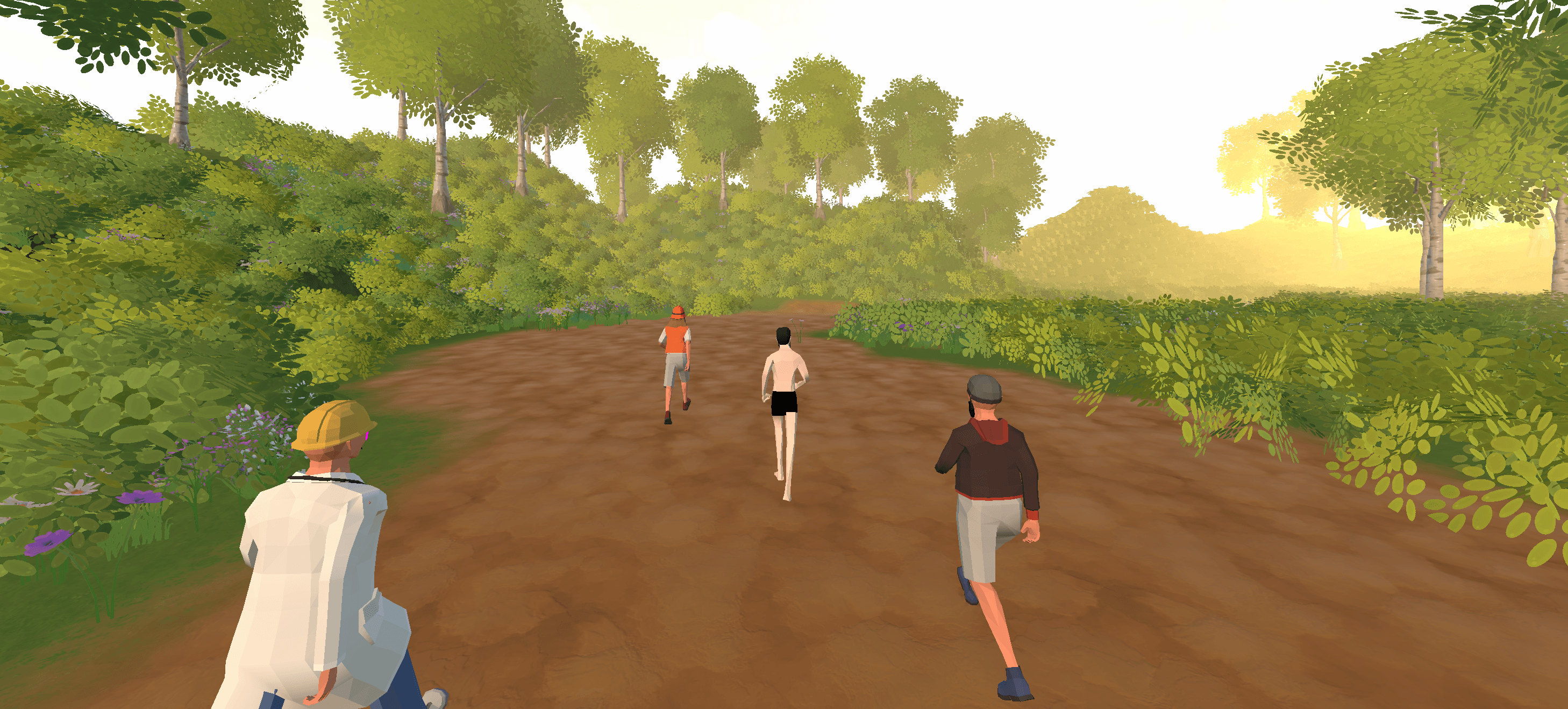
3D avatars racing together on a dirt trail through a lush forest at golden hour in the RunAI app

The app that makes you run again tomorrow

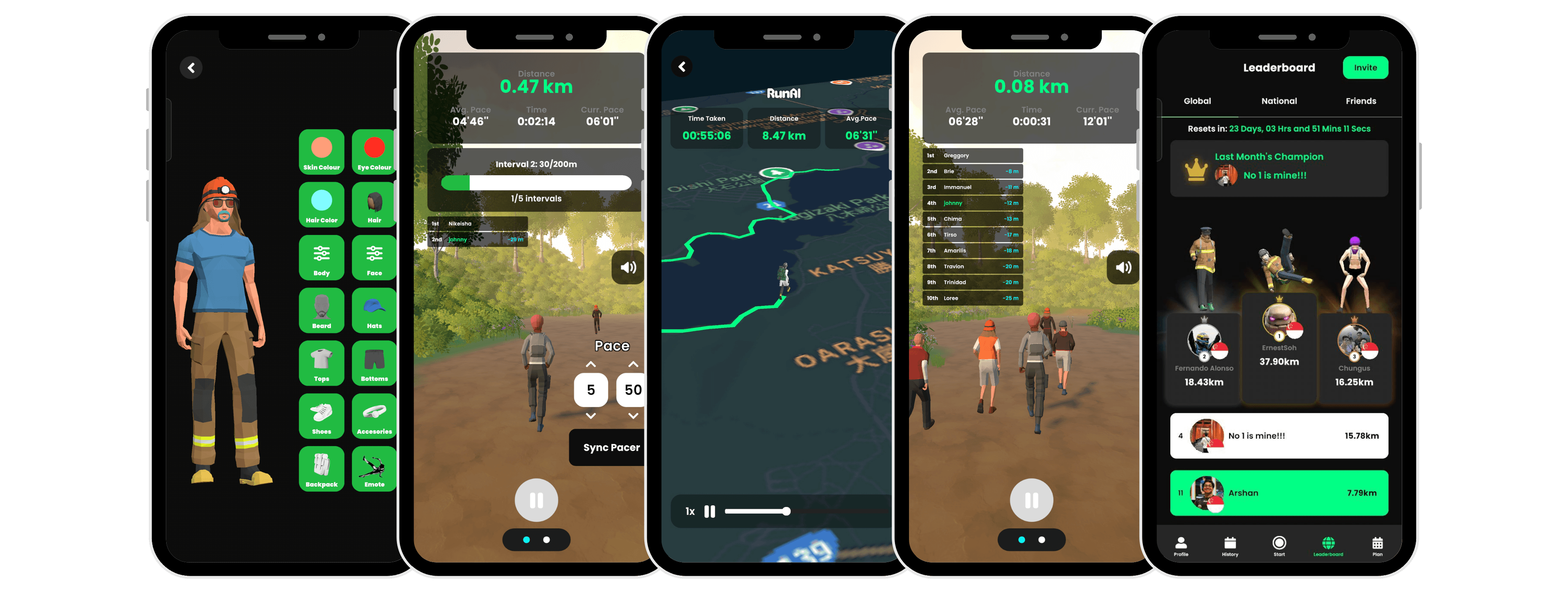
Five mobile screenshots of the RunAI gamified running app displayed side by side on dark backgrounds. From left to right: (1) Avatar customization screen showing a full-body 3D character with options for skin colour, eye colour, hair, body, face, beard, hats, tops, bottoms, shoes, accessories, backpack, and emotes. (2) Pacer Mode during a run showing distance (0.47 km), pace stats, an interval timer at 30/200m, a live leaderboard with two runners, and pace adjustment controls. (3) A post-run summary map screen showing an 8.47 km route traced in green over a satellite map, with time taken and average pace. (4) A live run screen at 0.08 km with a 10-person real-time leaderboard overlay showing distance gaps, and 3D avatars running together on a forest trail. (5) A global leaderboard screen showing monthly rankings with the top three runners displayed as 3D avatars on a podium, distances logged, last month's champion highlighted, and the user (Arshan) ranked 11th at 7.79 km.

How It Works

From download to first run in four steps.

01

Build Your Runner

Create your 3D avatar and hit the road. Every kilometre you run unlocks new gear, emotes, and customisation options. Your avatar evolves as you do.
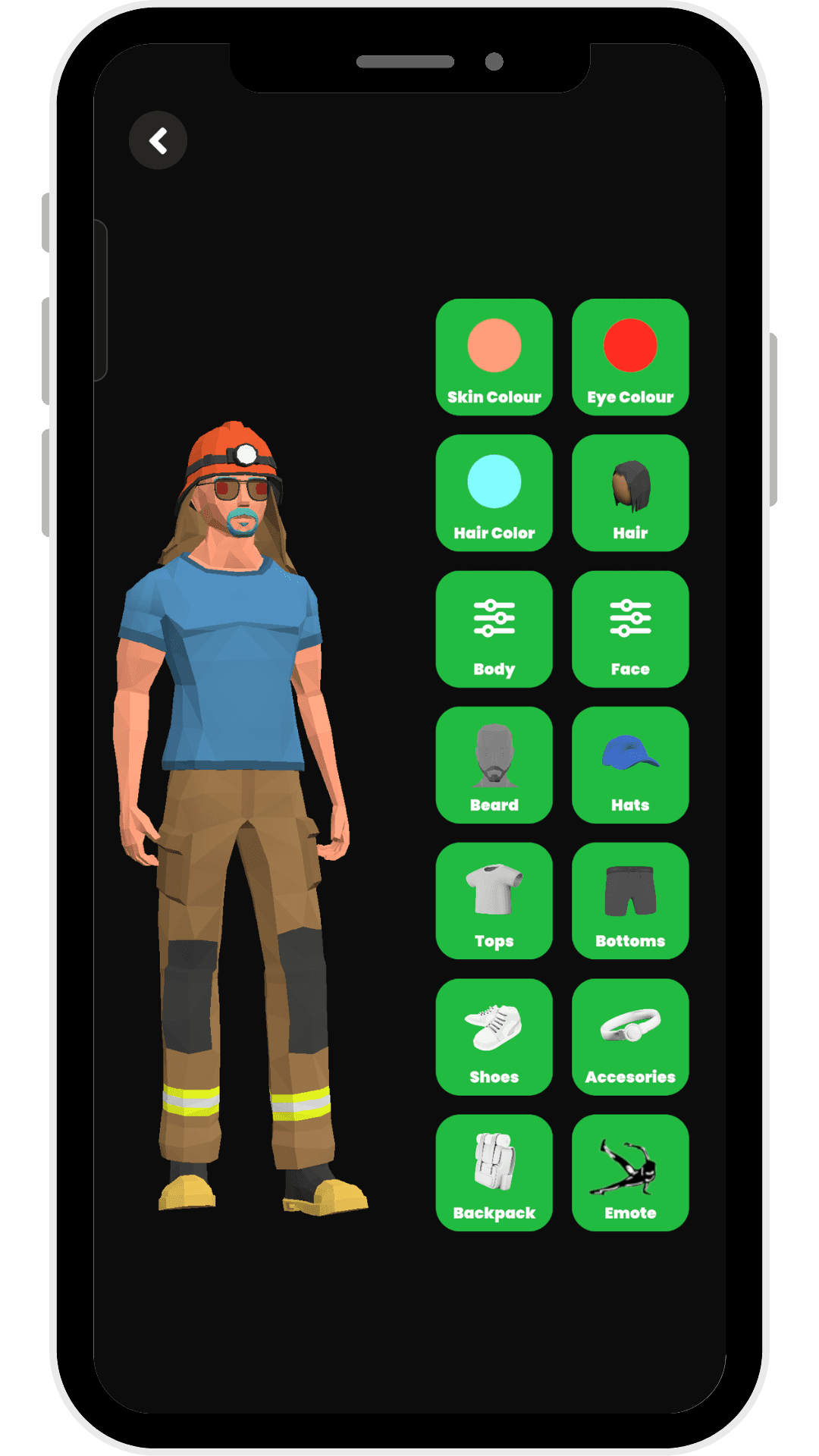
RunAI app avatar customization screen showing a full-body 3D character wearing sunglasses, an orange hard hat, blue t-shirt, brown cargo pants with reflective yellow strips, and yellow boots. On the right side is a grid of 14 green category buttons for customizing: Skin Colour, Eye Colour, Hair Color, Hair, Body, Face, Beard, Hats, Tops, Bottoms, Shoes, Accessories, Backpack, and Emote.
02

Pick Your Challenge

Run solo with a friendly AI pacer that matches your level, or race against faster virtual runners built to push you past your comfort zone.
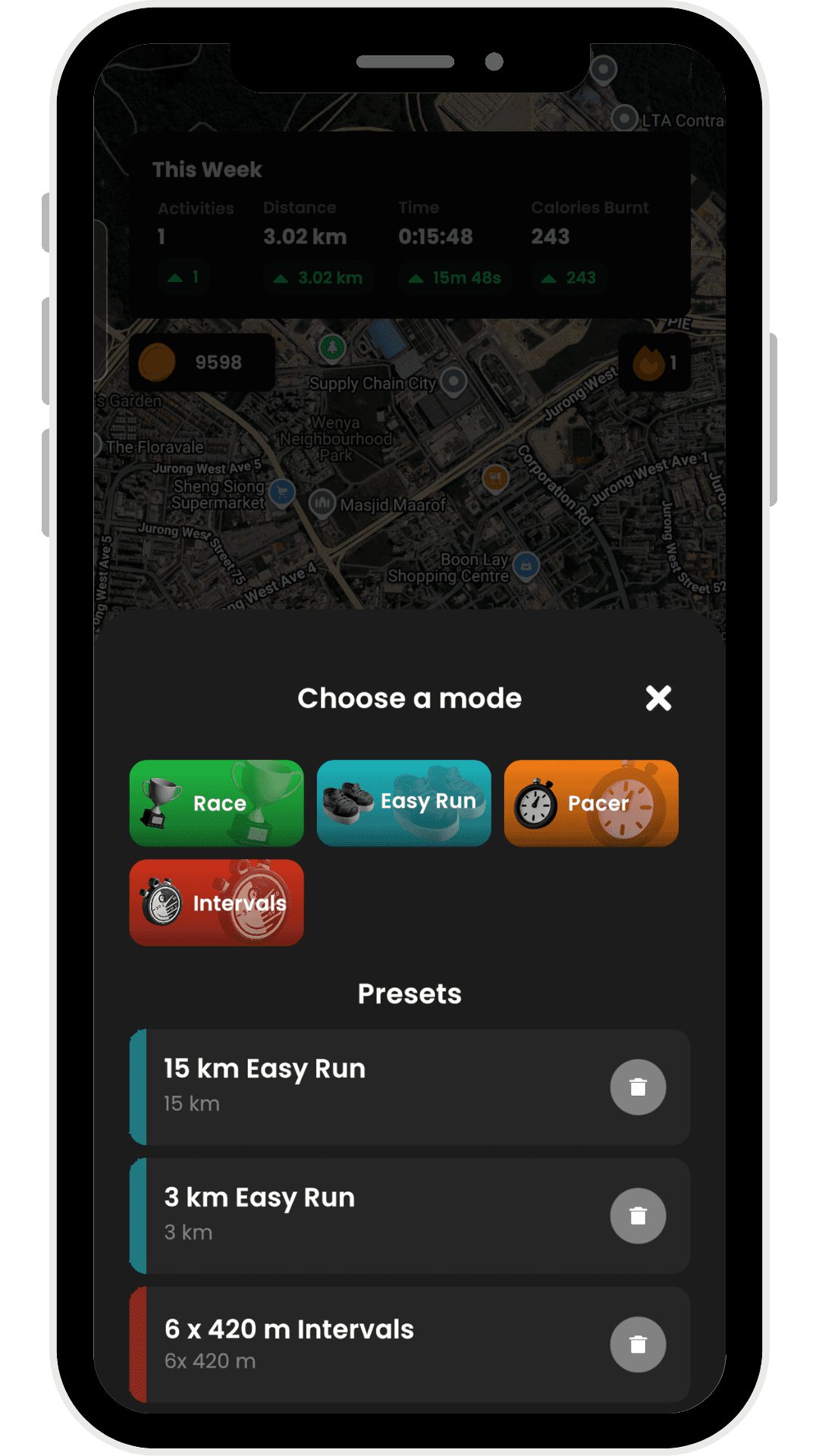
RunAI app start screen with a satellite map of Jurong West, Singapore in the background. A weekly summary panel shows 1 activity, 3.02 km distance, 15:48 time, and 243 calories burnt. Below, a 'Choose a mode' modal presents four run modes as coloured buttons: Race (green), Easy Run (teal), Pacer (orange), and Intervals (red). Underneath are saved presets including '15 km Easy Run', '3 km Easy Run', and '6 x 420 m Intervals', each with a delete button.
03

Compete at Every Level

Race against the world on the global leaderboard, rep your country on the national board, or keep it personal and go head-to-head with friends. Three leaderboards, three reasons to run faster.
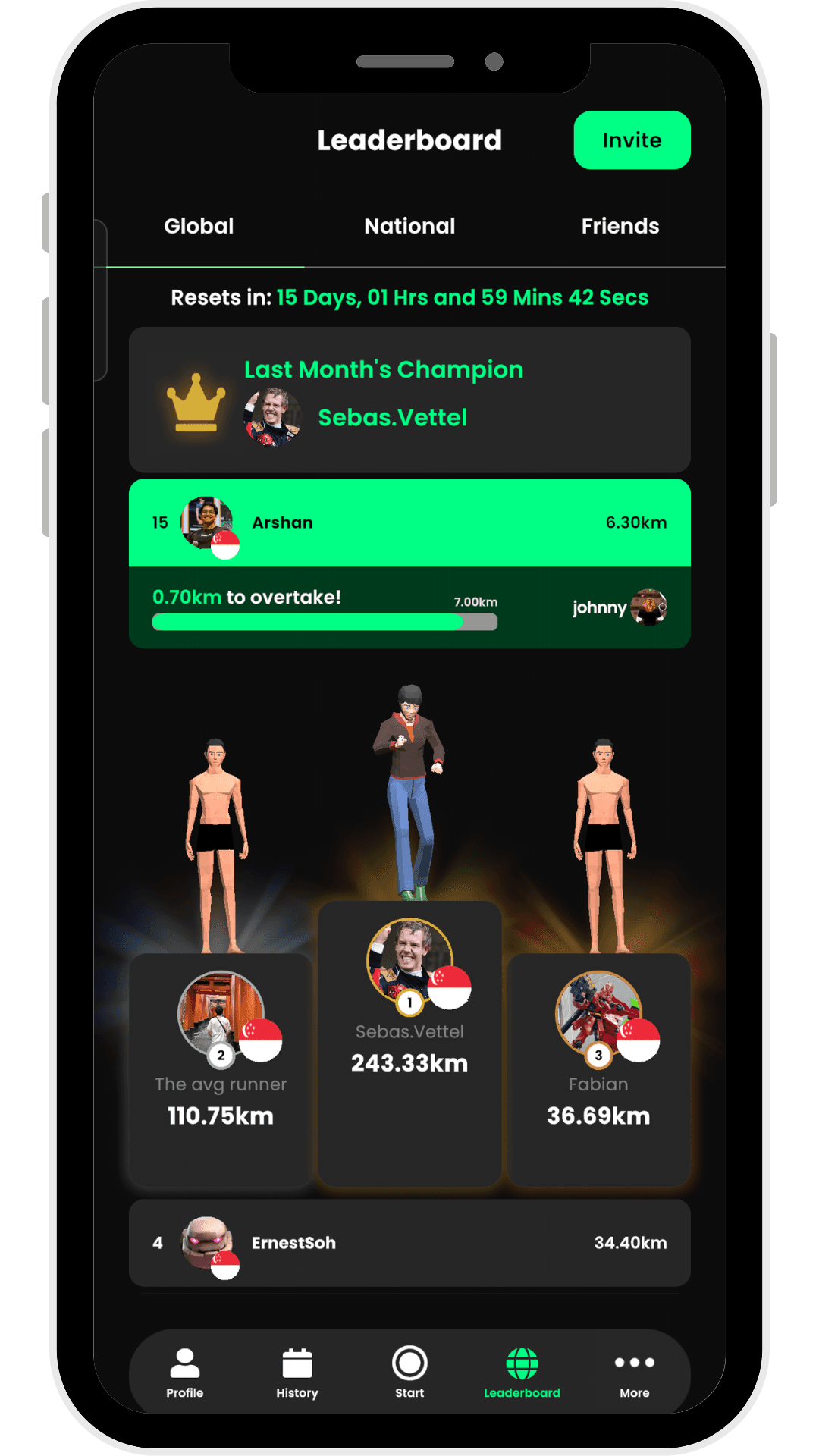
RunAI app global leaderboard screen with tabs for Global, National, and Friends. A countdown timer shows 15 days until the monthly reset. Last month's champion is displayed as 'Sebas.Vettel'. A highlighted green bar shows the user Arshan in 15th place at 6.30 km, with a prompt showing '0.70 km to overtake!' the next runner. Below, a podium displays the top three runners as 3D avatars: Sebas.Vettel in 1st with 243.33 km, The avg runner in 2nd with 110.75 km, and Fabian in 3rd with 36.69 km. ErnestSoh appears in 4th at 34.40 km.
04

Watch Yourself Improve

Track pace trends, personal bests, and weekly streaks with stats that actually show you how far you've come, not just how far you ran today.
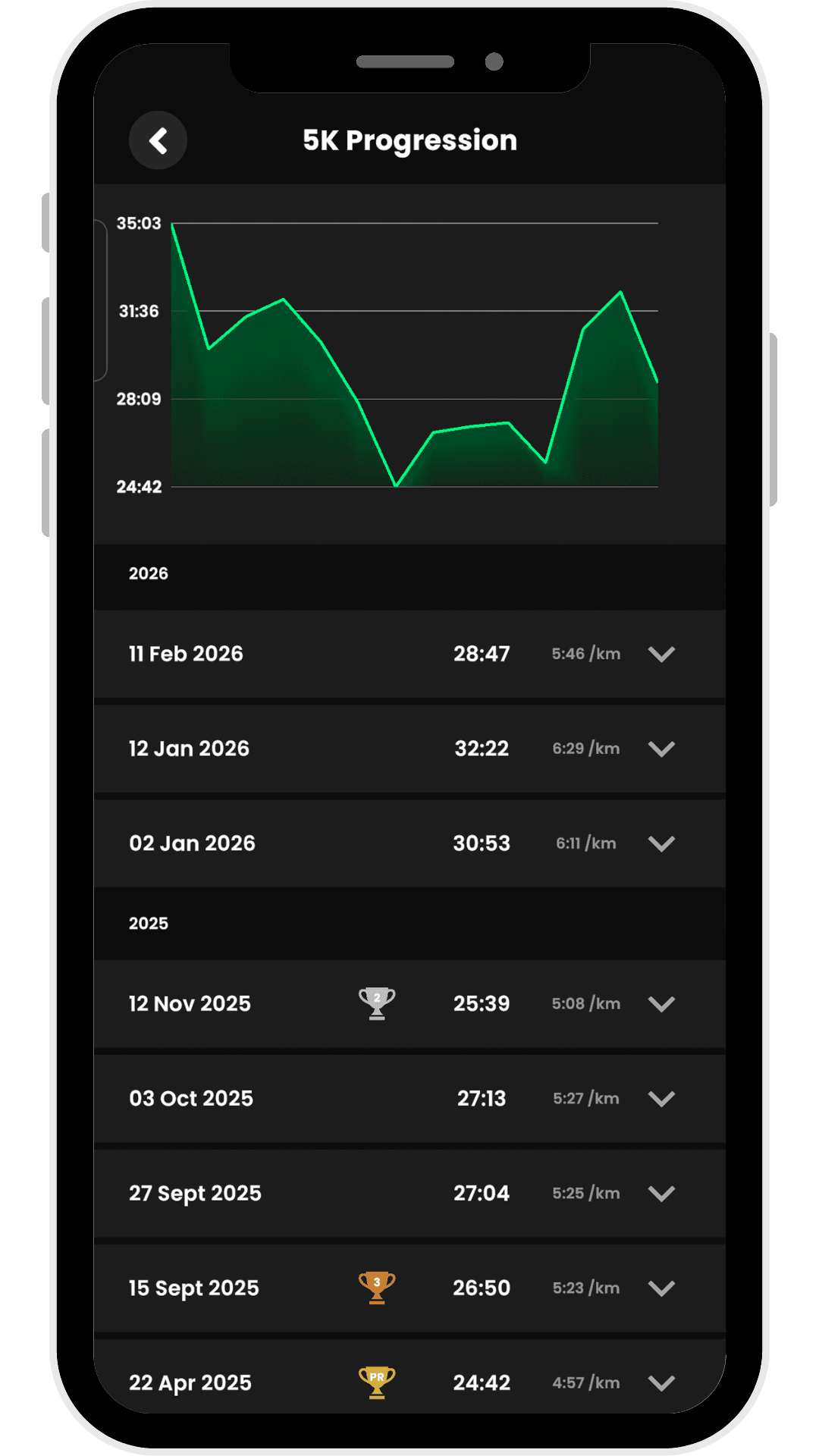
RunAI app 5K Progression screen showing a green line chart tracking 5K times from April 2025 to February 2026, ranging between roughly 24:42 and 35:03. Below the chart is a chronological list of runs grouped by year. The 2026 entries show times of 28:47 (5:46/km), 32:22 (6:29/km), and 30:53 (6:11/km). The 2025 entries include runs from November down to April, with the fastest time of 24:42 (4:57/km) on 22 April 2025. Trophy icons appear next to personal best performances.